
← Back to Blog
School Budgeting
School Budgeting in Excel: What Works, What Gets Difficult, and When to Change?
An honest look at what Excel does well for school finance teams, where the process around it starts to strain, and how to tell when it's time for some help.
October 9, 2026
Quick Answer
Yes, a school can manage its budget in Excel, and many do it very well. School budgeting in Excel works because the spreadsheet can hold the exact logic of the school. It gets difficult when one model has to be sent to many contributors, returned, checked and combined, because version control, consolidation and shared assumptions all depend on manual work. Schools usually look for a change when the effort around the model grows bigger than the thinking inside it.
Key Takeaways
- Excel is a strong tool for school financial modelling, and the logic inside many school workbooks is excellent.
- The difficulty comes from the process around the file: versions, consolidation and assumptions spread across many copies.
- Changing doesn't mean starting again. Existing workbooks can be the starting point.
It's a Tuesday afternoon in budget season, and the shared folder holds BUDGET 2027 v4 FINAL (2) REVISED.xlsx. Two department heads have returned their templates as PDFs. One has inserted three rows. Another has renamed a tab, and the formula that used to pull it into the master now shows an error. The business manager knows exactly where to look and how to fix it, because they built the model.
That knowledge is the real asset. School budgeting in Excel is rarely a sign that a school is behind. It's usually a sign that a skilled finance team found a flexible tool and made it work, year after year. This guide looks at what Excel does well, where it starts to get difficult, and how to tell when the process around the spreadsheet, rather than the spreadsheet itself, is ready for some help.
Can a School Manage Its Budget in Excel?
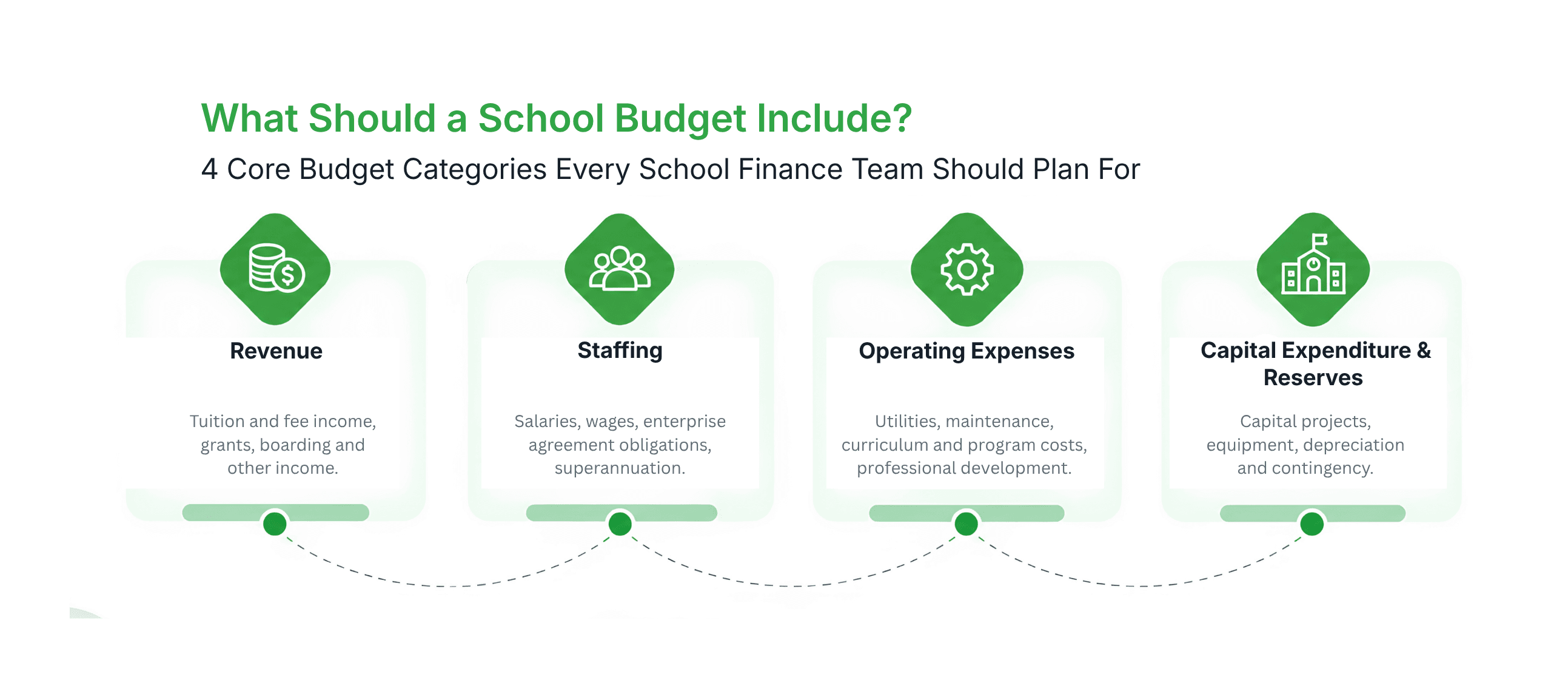
Yes. Many schools and universities run their whole budget in Excel, and some of the most sophisticated financial modelling in education sits in a school budget spreadsheet. Excel handles enrolment projections, fee structures, staffing costs and capital plans well, and it lets a finance team build the exact rules of their own school into the model.
So the question isn't whether Excel can hold the model. It's how much work it takes to run the process around the model once dozens of people need to contribute to it.
What Does Excel Do Really Well for School Budgeting?
• Flexibility: any fee structure, staffing rule or exception can be modelled exactly the way the school works.
• Familiarity: finance teams and department heads already know how to use it, so there's nothing new to learn.
• Transparency: formulas can be traced and checked by anyone who can open the file.
• Control: there's no new system to buy, and the finance team owns the logic.
None of this is an accident. There is a reason this process evolved, and a good school budget Excel workbook usually holds years of hard-won judgement.
Where Does School Budgeting in Excel Start to Get Difficult?
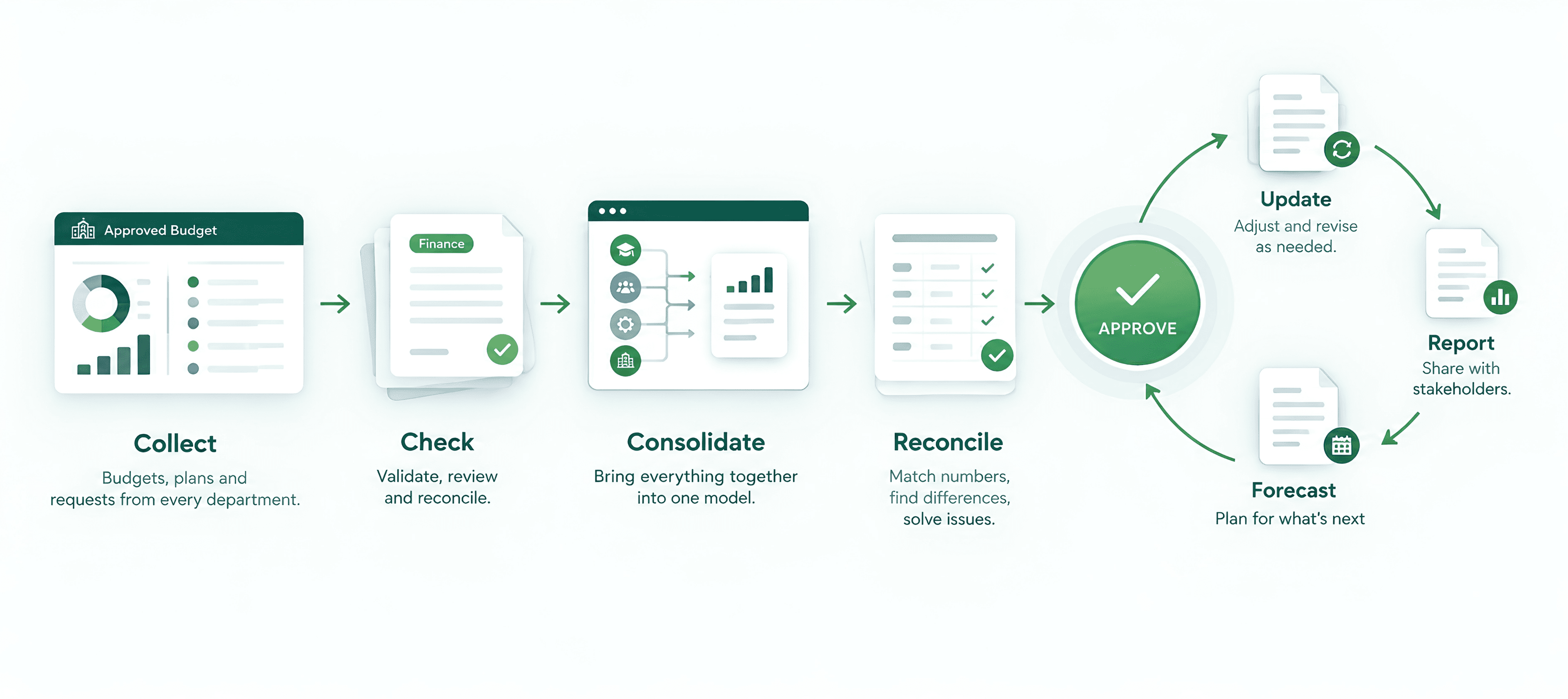
The difficulty rarely sits inside the model. It appears when one model has to be sent out, filled in by many people, returned and combined. Each of those steps is manual, and each is a place where small differences can creep in.
| Pressure Point | What It Looks Like in Practice |
|---|---|
| Version control | Several versions of the same workbook exist at once, and it takes a conversation to confirm which one is current. |
| Budget consolidation | Returned files are opened, checked, then combined line by line into the master, often more than once as corrections arrive. |
| Assumptions | A salary or enrolment assumption lives in more than one file, so a late change means finding and updating every copy. |
| Contributor input | Contributors insert rows, rename tabs or return a PDF, and each change has to be untangled before numbers can be combined. |
| Handover | The logic is understood by the person who built it, and a new team member inherits the file without all of the reasoning behind it. |
| Reforecasting | The mid-year update is built in a separate workbook, because the original was designed to produce one approved number. |
Why Do Schools Keep Using Excel for Budgeting?
Because it works. A spreadsheet that has produced an approved budget every year has earned trust. Changing tools in the middle of budget season feels risky, and nobody has spare time to rebuild a model that already does the job.
Many finance teams have also lived through system projects that promised a lot and asked for months of configuration. Staying with Excel is a sensible response to that history, not a lack of ambition.
Is the Problem Really Excel?
Not quite. The problem isn't the spreadsheet. It's the work required when the process is spread across many of them. One well-built workbook is a pleasure to use. Thirty copies of it, each edited by a different person on a different schedule, is a structural challenge, and it would be a challenge in any tool that relies on files being emailed back and forth.
None of this reflects a lack of financial expertise. It reflects the limits of a file-based process, and it's the reason budget consolidation takes so much of the calendar in so many schools.
How Do You Know When It Is Time to Change?
Most schools don't decide to change on a single bad day. They notice a pattern. These are the signs that the process around the model has outgrown the file:
- Consolidation takes longer than the analysis: more of the calendar goes into combining numbers than into deciding what they mean.
- Nobody is quite sure which file is final: the answer depends on who you ask.
- One assumption change means editing several workbooks: a salary, enrolment or fee change has to be made more than once.
- The model depends on one person: and the explanation for how it works lives in their head.
- The reforecast starts from a blank workbook: because the budget model wasn't built to be carried forward.
If two or three of these sound familiar, the School Budget Excel Health Check below will show where the effort is actually going.
Now Imagine the Version That Works
Imagine keeping the model your team already trusts, without the emailing. Contributors open their own view in a browser, see the figures and assumptions that matter to them, enter their number and leave the explanation beside it. Finance can see who has submitted and who hasn't without opening a single attachment.
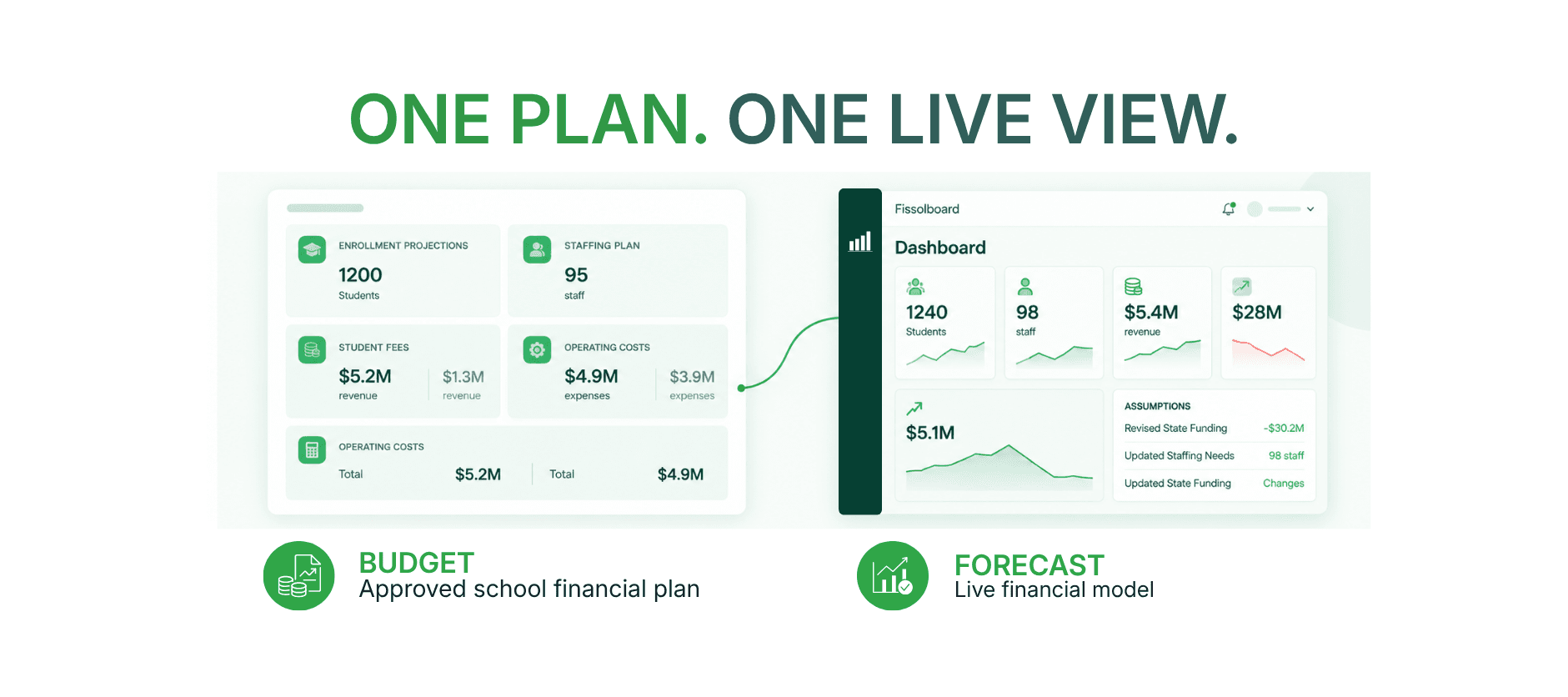
Change the salary assumption from 3.0% to 3.5% once and see the impact flow through the model. When a Board member asks why a line moved, the explanation travels with the number. The reforecast starts from the same model as the budget, so there's no blank-page rebuild.
That's what PULSE is built to do: a planning, budgeting, forecasting and reporting platform built for schools. It works around the data and workbooks a school already has. Existing workbooks can be the starting point, the finance system stays exactly where it is, and nothing about a department's current logic needs to be rebuilt from scratch. Finance keeps control, and the time that used to go into combining files goes into reviewing the numbers.
If you're comparing school budgeting software, the most useful question isn't whether it replaces Excel. It's whether it works with the model you already have.
Frequently Asked Questions
For building and refining a financial model, yes. Excel is flexible enough to hold the specific rules of a school. The challenge usually appears in the process around the model: collecting input from many contributors, keeping versions straight and combining returns.
Find Out Where the Effort Is Going
Run the School Budget Excel Health Check, a 20-point spreadsheet checklist that shows where your budget process is working well and where the time is going.
Related Articles
- School BudgetingHow Do You Build a School Budget? A Step-by-Step Guide for Finance Teams
- School BudgetingSchool Budget vs Forecast: What's the Difference and When Should You Use Each?
- School BudgetingSchool Budget Template: What Should a School Budget Include?
- PlanningWhy Is the School or University Budget Never Actually Finished by the Time It's Approved?