ERP
Why Does the Mid-Year Reforecast Feel Like Starting the Budget Over Again?
A look at why reforecasting often repeats the original budgeting effort in a spreadsheet-based process, and what makes a reforecast a light update instead.
October 30, 2026
Quick Answer
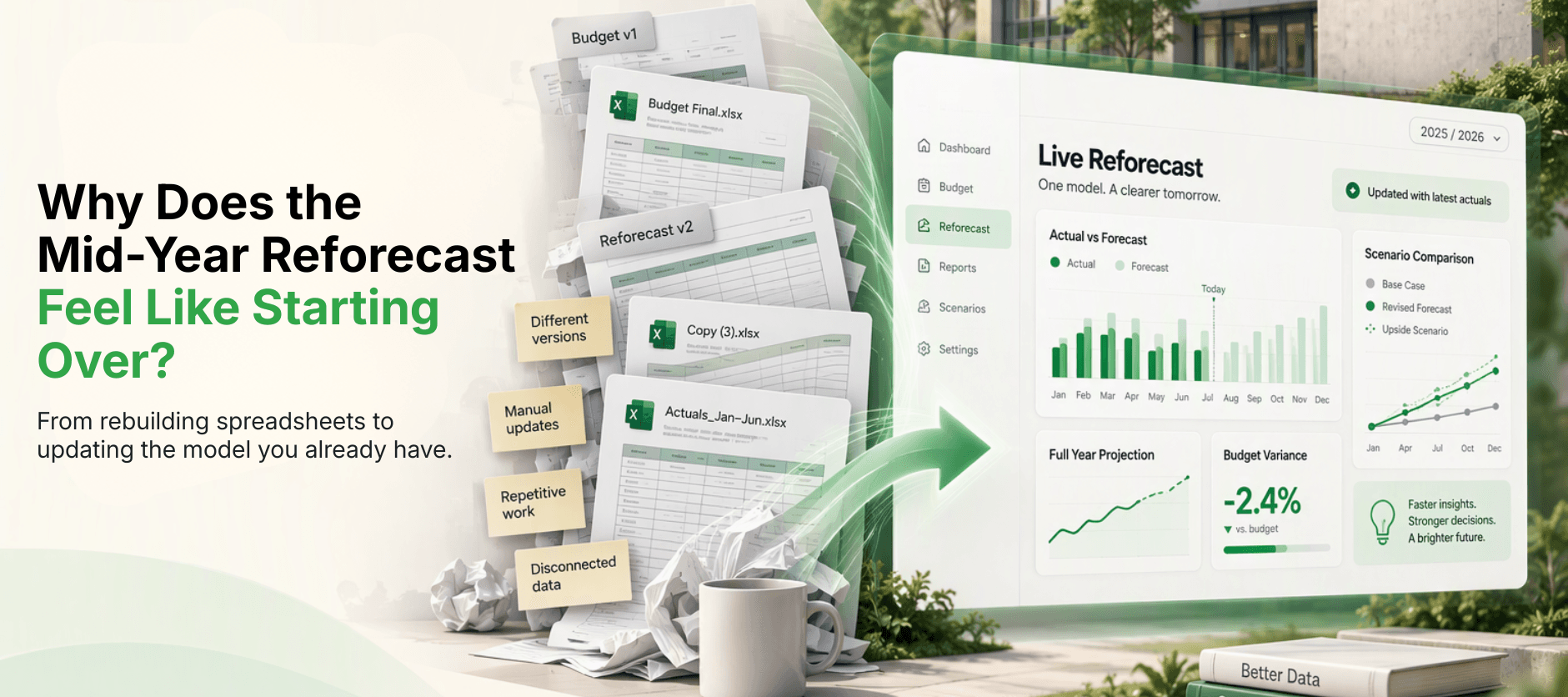
The mid-year reforecast feels like starting the budget over again because the budget model was built to produce one approved number, not to be carried forward. Actuals sit in a different system, assumptions are typed into several places, department input is collected by email again, and the approved version has to stay frozen, so the finance team ends up building a second model beside the first. A reforecast becomes a light update when it uses the same model as the budget, takes actuals directly, keeps assumptions in one place, and asks contributors only about what has changed.
Key Takeaways
- The effort comes from rebuilding the model, not from the forecasting itself.
- A budget built to be approved once is hard to carry forward. A budget built to be revisited is not.
- A light reforecast reuses the budget model, brings in actuals, changes each assumption once and asks contributors only about what has changed.
It's the middle of the year. Six months of actuals have closed, enrolments are confirmed and the wage outcome is known. The Finance Manager knows a reforecast is due, opens the budget workbook, and feels the familiar sinking sensation. This is going to be the budget all over again.
The workbook gets copied and renamed Reforecast v1. Actuals are pasted into a new tab. Every assumption has to be tracked down and updated wherever it appears, and department heads get another email asking for their numbers. A few weeks later the reforecast is ready, and some of it is already out of date.
None of this reflects a lack of skill. The model that produced the approved budget was probably excellent. It simply wasn't designed to be used a second time.
Why Does the Mid-Year Reforecast Feel Like Starting the Budget Over Again?
In a spreadsheet-based process, five things tend to repeat:
- The budget model was built to produce one approved number: so it has fixed values, a tab for each department and a frozen final version.
- Actuals live somewhere else: and have to be exported from the finance system and brought in by hand.
- Assumptions are typed in more than one place: so a change to enrolment or wages means finding every copy.
- Contributors are asked for everything again: not only for what has changed.
- The approved budget has to stay unchanged: so the reforecast becomes a second model beside the first.
What Does a Spreadsheet Reforecast Repeat From the Budget?
Nearly every stage of the budget process comes back. The table shows what repeats, and what a light update would do instead:
| Budget Step | What Repeats in a Spreadsheet Reforecast | What a Light Update Would Do |
|---|---|---|
| Setting assumptions | Enrolment, fee and wage assumptions are re-entered in several workbooks. | Change each assumption once and let it flow through. |
| Collecting department input | Templates go out to every budget holder again. | Ask only the departments where something has changed. |
| Combining submissions | Returned files are combined by hand again. | Work in the same shared model. |
| Bringing in actuals | Exports are pasted into a new workbook. | Take actuals into the same model for the closed periods. |
| Building reports | Variance and Board pages are rebuilt. | Refresh the reports from the model. |
Why Is a Budget Model So Hard to Carry Forward?
Because it was designed for a different job. A budget model is built to reach an approved figure by a deadline, and once the Board approves it, the model's purpose is complete. Values get fixed, versions get locked, and the working logic becomes hard to reopen without risking the approved numbers.
That is a sensible way to protect an approved budget. It just means the reforecast has to be built next to it rather than from it, and that is where the duplicated effort comes from.
How Does a Reforecast Actually Work?
A reforecast combines what has already happened with a fresh view of what is left. Closed periods use actuals, the remaining periods use updated assumptions, and the approved budget stays unchanged beside it for comparison. Here is a simple example using four lines:
| Line | Budget | First-Half Actual | Second-Half Forecast | Full-Year Forecast | Variance |
|---|---|---|---|---|---|
| Tuition income | 4,900,000 | 2,410,000 | 2,410,000 | 4,820,000 | -80,000 |
| Salaries and wages | 3,100,000 | 1,520,000 | 1,520,000 | 3,040,000 | -60,000 |
| Professional development | 90,000 | 52,000 | 47,900 | 99,900 | +9,900 |
| Utilities | 210,000 | 104,000 | 94,000 | 198,000 | -12,000 |
Only the second-half column needs fresh judgement. The first half is a fact, and the budget column doesn't change. When the model is set up this way, the reforecast is mostly a matter of updating what has moved.
What Makes a Reforecast a Light Update?
Light reforecasts tend to share the same five features:
- It uses the same model as the budget: rather than a copy that has to be maintained separately.
- Actuals come in directly: for closed periods, so only the remaining months are forecast.
- Assumptions live in one place: each with a source and a date, so a change is made once.
- Contributors are asked only about what has changed: so most departments are not disturbed at all.
- The approved budget stays visible beside the reforecast: so the comparison is always one click away.
How Do You Get Ready for a Reforecast?
You can reduce the rebuilding even before changing any tools. These steps help, and they are the thinking behind the readiness checklist at the end of this post:
- Confirm which actuals are closed and reconciled: and state the cut-off date.
- List the assumptions that have moved: enrolment, fees, wages and any one-off items.
- Identify the departments with material changes: so you only contact the ones that matter.
- Keep the approved budget untouched: as the baseline for every comparison.
- Decide what the Executive and Board need to see: before you build the pages.
Now Imagine the Version That Works
Imagine the model that produced the budget is still there, still live, and ready to be used again. Actuals for the closed months come in from the finance system. You change the wage assumption once and watch the full-year result update. Only the department heads with real changes get a request, and the Board sees the approved budget, the reforecast and the variance side by side.
That's what PULSE, Feoda's planning, budgeting, forecasting and reporting platform built for schools, is designed to support. The model used for the annual budget becomes the model used for the reforecast, rather than starting again. It works alongside the school's finance system, existing workbooks can be the starting point, and the finance team keeps control of the assumptions and the story.
The judgement in a good reforecast still comes from the people who know the school. The difference is that their time goes into that judgement, not into rebuilding a model they have already built once.
Frequently Asked Questions
A reforecast is an update to the expected full-year result during the year. It combines actuals for the periods that have closed with updated assumptions for the remaining periods, and it sits alongside the approved budget rather than replacing it.
Related Articles
- ERPWhat Does a School Board Actually Ask Before Approving Next Year's Budget?
- ERPHow Long Does It Typically Take to Implement Oracle NetSuite for a School or University?
- ERPWhat Is a Finance System, and Does a School or University Actually Need One?
- School BudgetingHow Do Schools Forecast Tuition Revenue? A Practical Guide for Finance Teams
- School BudgetingHow Do Schools Forecast Enrolment and Turn Student Numbers Into a Revenue Plan?
- School BudgetingWhat Should Be in a School Board Financial Report? 7 Reports Finance Teams Should Track
- School BudgetingSchool Budget Variance Analysis: How Do You Explain Actual vs Budget to the Board?
- School BudgetingHow Can Schools Consolidate Department Budgets Without Chasing 50 Spreadsheets?